Google Assistant Overview
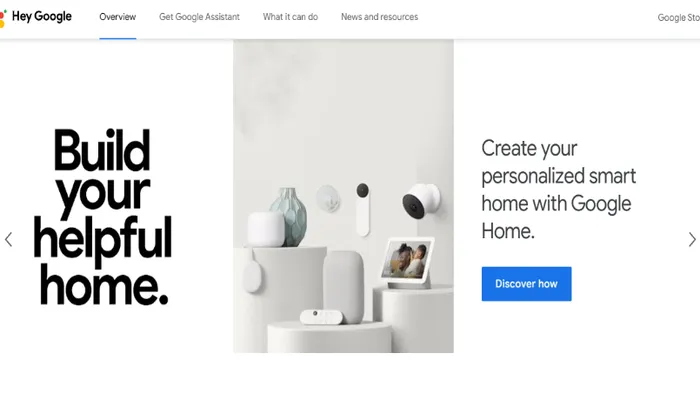
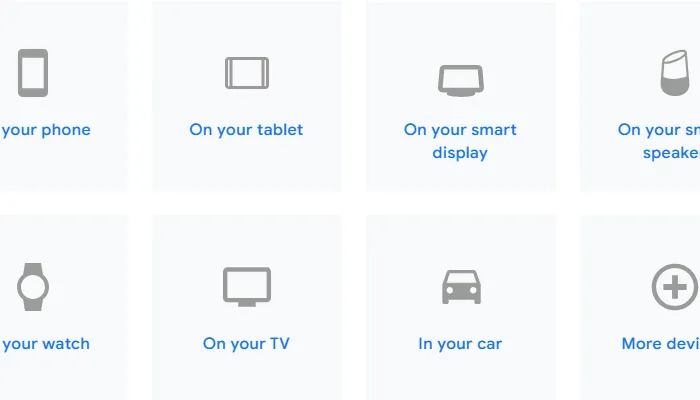
Google Assistant is a voice-activated AI assistant developed by Google, tailored for users who want to manage daily tasks, control smart devices, and access information hands-free across multiple platforms. Its main differentiator lies in customizable privacy controls and cross-device integration, making it suitable for anyone looking for a consistent digital assistant experience whether at home, at work, or on the go. Google Assistant is available on Android smartphones, tablets, smart displays, smart speakers, smartwatches, and even TVs, ensuring that users can interact with their assistant wherever they are.
A standout feature of Google Assistant is its seamless integration across devices. Whether you’re using an Android phone or a smartwatch, the experience remains cohesive, allowing you to pick up tasks from one device and continue on another without interruption. This cross-platform compatibility is especially useful for users who rely on multiple devices throughout their day.
The assistant supports versatile voice commands for a wide variety of tasks. Beyond setting reminders or checking the weather, users can order food on Postmates, manage workouts with Nike Run Club, or send messages via Discord, all through simple voice instructions. This broad functionality is further enhanced by comprehensive mobile app partnerships, including popular services like Spotify, MyFitnessPal, and Mint, enabling users to control entertainment, fitness, and financial management with ease.
Privacy is a core focus for Google Assistant. The platform offers intuitive privacy controls that are both transparent and customizable, empowering users to decide exactly what data is shared and how it is used. A straightforward dashboard makes it easy to adjust settings, ensuring peace of mind for those concerned about digital privacy. Additionally, robust data security measures are in place to protect user information, using advanced encryption techniques to safeguard sensitive data.
Recent updates have further improved Google Assistant’s integration with third-party apps and enhanced its privacy dashboard, making it even easier for users to manage permissions and data sharing across their devices. These enhancements reflect Google’s ongoing commitment to user empowerment and security.
Compared to alternatives like Amazon Alexa, Apple Siri, or Samsung Bixby, Google Assistant distinguishes itself with its extensive app partnerships, customizable privacy settings, and consistent experience across a broad ecosystem of devices. For users seeking a reliable, privacy-conscious, and highly integrated digital assistant, Google Assistant remains a top contender in the AI assistant landscape.
Features of Google Assistant
Seamless Integration Across Devices: Maintains a consistent assistant experience across Android smartphones, tablets, smart displays, smart speakers, smartwatches, and TVs.
Versatile Voice Commands for Varied Tasks: Supports a wide range of voice-activated tasks, from setting reminders to ordering food or managing workouts.
Intuitive Privacy Controls for User Empowerment: Offers transparent and customizable privacy settings, allowing users to control what data is shared and how it is used.
Comprehensive Mobile App Partnerships for Extended Usability: Integrates with popular apps like Spotify, MyFitnessPal, Mint, Postmates, Nike Run Club, and Discord for expanded functionality.
Built-in Trust with Robust Data Security: Employs advanced encryption and strong security measures to protect user information.
Enhanced Third-Party App Integration: Recent updates improve compatibility and management of permissions with third-party apps.
Cohesive Cross-Platform Experience: Enables users to start tasks on one device and continue on another without interruption.
Google Assistant Use Cases
Hands-Free Management of Daily Tasks: Set reminders, check the weather, and manage your schedule using voice commands across smartphones, smartwatches, and smart speakers.
Control Smart Home Devices: Adjust lights, thermostats, and other connected devices at home with simple voice instructions for convenience and accessibility.
Access and Manage Third-Party Apps: Interact with services like Spotify, Mint, Nike Run Club, and Discord to play music, track finances, manage workouts, and send messages without manual input.
Personalized Privacy Controls: Customize what data is shared and manage privacy settings through an intuitive dashboard, giving users control over their digital footprint.
Cross-Device Continuity: Start a task on one device and continue it on another, ensuring a consistent assistant experience whether at home, at work, or on the go.
Pricing Details
Google Assistant is available with a free plan for all users.
Free Plan: $0 — includes access to Google Assistant features across supported devices, customizable privacy controls, integration with third-party apps, and cross-device functionality.
Google Assistant Pros & Cons
Pros:
Seamless integration across Android smartphones, tablets, smart displays, smart speakers, smartwatches, and TVs for a cohesive experience
Versatile voice commands support a broad range of tasks, including ordering food, managing workouts, and sending messages via third-party apps
Intuitive and customizable privacy controls with a transparent dashboard for managing data sharing and permissions
Comprehensive partnerships with popular apps like Spotify, MyFitnessPal, Mint, Postmates, Nike Run Club, and Discord for extended functionality
Cons:
No mention of availability on non-Android or Apple devices, potentially limiting use for those outside the Google ecosystem
Reliance on third-party app integrations means some features may depend on the continued support and compatibility of those external services
Advanced privacy and security features require user setup and management, which may be less accessible to less tech-savvy users
Product Images